> ## Documentation Index
> Fetch the complete documentation index at: https://docs.jsonify.com/llms.txt
> Use this file to discover all available pages before exploring further.
# Follow links
> Instructs the AI agent to navigate to one or more URLs provided by a preceding block like Find Links or Extract Data.
The `Follow links` block is a fundamental navigation tool that tells the AI agent to visit a URL or a list of URLs. Finding links with a block like `Find Links` is not enough; you must use this block immediately after to explicitly instruct the agent to *go to* those links.
This block acts as the bridge between finding a path and actually walking down it.
## Purpose
Use the `Follow links on a page` block to:
* Navigate to a list of URLs found by the `Find Links` block.
* Open a URL that has been extracted as a variable by an `Extract Data` block.
* Systematically visit a series of pages to perform an action or extract data from each one.
## Configuration
Configuration is centered around telling the agent *which* links from the incoming list it should visit.
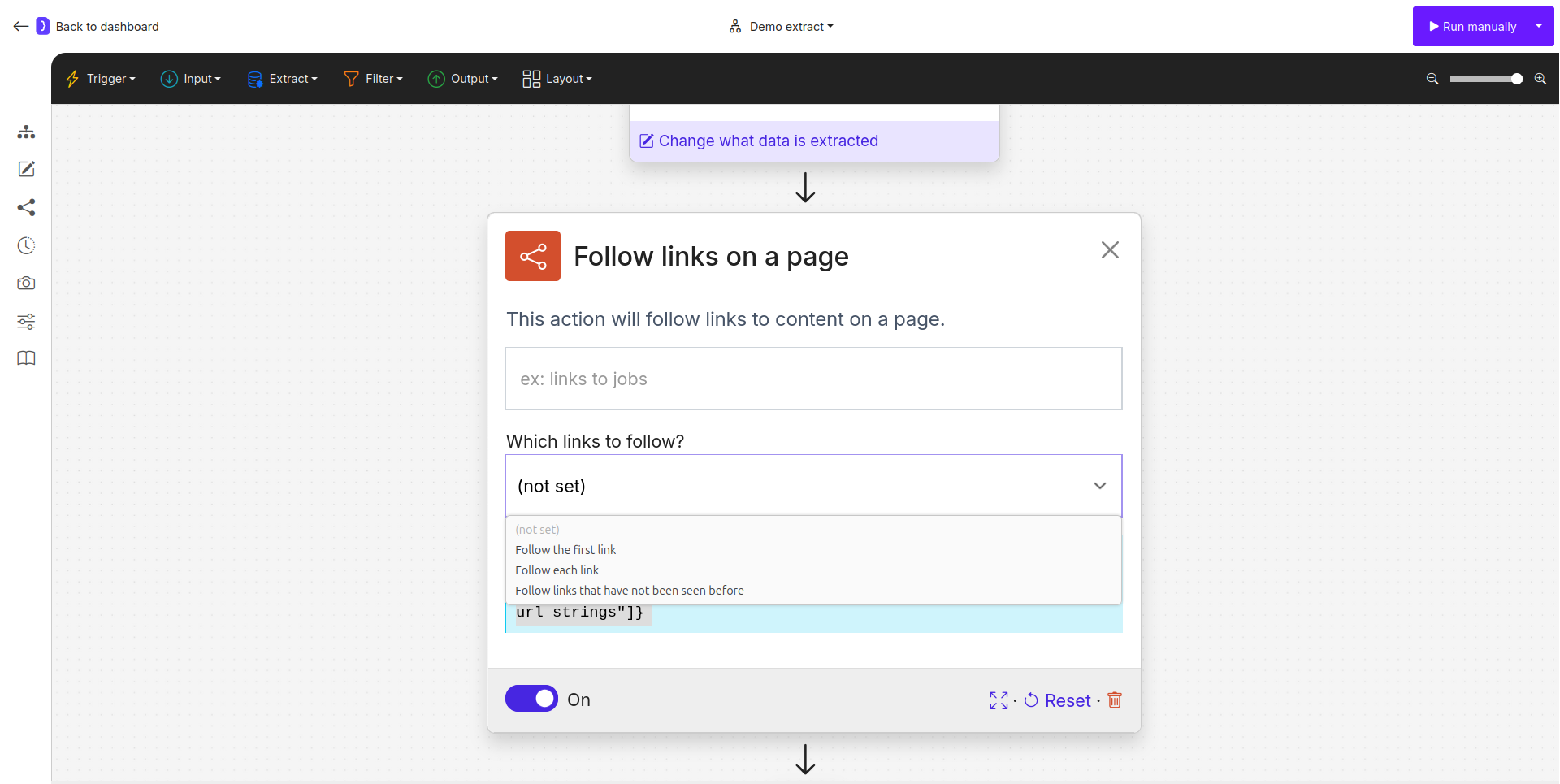
### Which links to follow?
This is a dropdown menu that controls the navigation behavior.
* **Follow the First link:** The agent will only navigate to the very first URL from the list provided by the previous step.
* **Follow each link:** The agent will iterate through the entire list of URLs, executing all subsequent blocks for each link. This is the most common option for scraping multiple pages.
* **Follow links that have not been seen before:** A powerful option for monitoring workflows. The agent will keep a memory of links it has visited in previous runs and only follow links it has never seen before, preventing duplicate processing.
* **url\_strings:** Allows you to manually provide a URL or, more commonly, use a variable `{{variable_name}}` that contains a URL.
 ## Common Workflow Patterns
This block is almost always used in one of two patterns.
### Pattern 1: After `Find Links` (Most Common)
This is the standard way to scrape a list of items.
1. **`Find Links`:** You first use `Find Links` to identify all the relevant `` tag links on a page (e.g., all product links from a category page).
2. **`Follow links`:** You immediately add this block next. By selecting `Follow each link`, you tell the agent to visit every single URL that was just found.
3. **`Extract Data`:** After this, you add an `Extract Data` block to scrape information from each of the detail pages the agent visits.
### Pattern 2: After `Extract Data`
This pattern is used when the URL you want to visit is not a direct `` tag but is extracted as text from the page.
1. **`Extract Data`:** Your first extraction step scrapes a piece of data and saves it to a variable with the specific key **`URL`**.
2. **`Follow links`:** You add this block next. The agent will recognize the `URL` key from the previous step and navigate to the link contained in its value.
## Key Considerations
* **Mandatory Preceding Block:** This block is not a starting point. It **must** follow a block that provides it with a URL or a list of URLs, typically `Find Links` or `Extract Data`.
* **Iteration:** When `Follow each link` is selected, it creates a loop. All subsequent blocks will be executed for every single link in the list.
* **De-duplication:** The `Follow links that have not been seen before` option is extremely useful for building monitoring automations that run on a schedule and should only process new content.
The `Follow links` block is the essential engine for moving your agent from a list of possibilities to the actual pages you want to work on.
## Common Workflow Patterns
This block is almost always used in one of two patterns.
### Pattern 1: After `Find Links` (Most Common)
This is the standard way to scrape a list of items.
1. **`Find Links`:** You first use `Find Links` to identify all the relevant `` tag links on a page (e.g., all product links from a category page).
2. **`Follow links`:** You immediately add this block next. By selecting `Follow each link`, you tell the agent to visit every single URL that was just found.
3. **`Extract Data`:** After this, you add an `Extract Data` block to scrape information from each of the detail pages the agent visits.
### Pattern 2: After `Extract Data`
This pattern is used when the URL you want to visit is not a direct `` tag but is extracted as text from the page.
1. **`Extract Data`:** Your first extraction step scrapes a piece of data and saves it to a variable with the specific key **`URL`**.
2. **`Follow links`:** You add this block next. The agent will recognize the `URL` key from the previous step and navigate to the link contained in its value.
## Key Considerations
* **Mandatory Preceding Block:** This block is not a starting point. It **must** follow a block that provides it with a URL or a list of URLs, typically `Find Links` or `Extract Data`.
* **Iteration:** When `Follow each link` is selected, it creates a loop. All subsequent blocks will be executed for every single link in the list.
* **De-duplication:** The `Follow links that have not been seen before` option is extremely useful for building monitoring automations that run on a schedule and should only process new content.
The `Follow links` block is the essential engine for moving your agent from a list of possibilities to the actual pages you want to work on.